We Called It! Our Mock Caldecott Results

One of my absolute favorite units to teach is the Mock Caldecott, and this year with my 4th through 6th graders was so much fun.

I picked out 12 books that I thought were strong contenders, and the students got to act like real judges. They read through them and reviewed each one based on the same criteria the real Caldecott committee uses. It was such a great way to get the older kids reading picture books again. They really loved looking at all the beautiful illustrations.

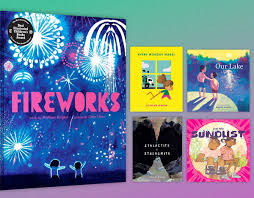
The best part was seeing how close we were to the real thing. This year, our winner was Fireworks, and you should have seen how excited the kids were when they found out it actually won the real medal! It was such a cool moment for them to see their picks match up with the experts.

I also had my formal observation during one of these classes. You would think that after 33 years of teaching I wouldn’t get the jitters anymore, but I still get a bit nervous for an observation! Luckily, the kids were so into the activity and the books that it went great. I just love this unit because it brings together library skills and a real love for reading. I am already thinking about what books to use for next year!

Tech Skills & Research Fun in the Library!

It has been a busy, high-energy week in the library! We’ve been blending traditional research with some hands-on Google Slides practice, and it’s been so fun to see the students get creative with their new tech skills.

2nd Grade: Australian Adventures

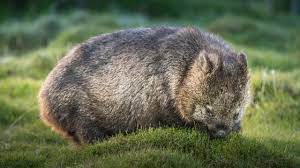
After reading the classic Wombat Stew, our 2nd graders dived into Google Slides. They practiced finding images of animals from Australia and learned how to “click and drag” to resize them. The big “magic trick” this week? Learning how to use the send to back feature so their animals stayed where they belonged in the scene!

3rd Grade: Arctic Explorers

3rd grade has been hard at work researching Arctic animals using a slide template. They’ve been watching short videos and picking out three interesting facts to share. We are working on turning those facts into bulleted lists and adding matching images. We definitely had to pause for some spelling help here and there, but their focus was incredible!

4th Grade: Birds, Bats, and Stellaluna

Our 4th graders read Stellaluna and used the story to dig into story elements and characters. They even tackled a Venn diagram to compare the differences between birds and bats. To wrap it all up, they’re creating their own research slides by building text boxes from scratch and adding images to show what they’ve learned about bats.

Calm, Cozy, and Consistent: Managing December in the Library

December in the library can feel magical… and a little chaotic. With excitement building for winter break, keeping routines consistent is key to helping students stay focused and successful. I’ve learned that sticking to our regular expectations, no matter the season, creates a calm, predictable environment for everyone.

After Thanksgiving break, I always start with a quick reteach of library rules and expectations. Even a 2–3 minute review helps students (especially the younger grades) remember what it looks like to listen to stories, stay in their seats, follow directions, and participate in our activities. A refresher sets the tone and helps prevent behavior issues before they start.

To keep engagement high, I fill our time with plenty of winter-themed read-alouds featuring snowmen, snowy adventures, and cozy seasonal stories. I also make sure our displays reflect the many ways people celebrate this time of year. Along with Christmas, I feature books on Hanukkah, Kwanzaa, Diwali, Las Posadas, St. Lucia Day, and Winter Solstice/Yule.

I always keep inclusivity in mind. I know I have students in a few classes who do not celebrate holidays, so for those groups, I skip holiday-themed read-alouds completely. Instead, I focus on snowmen, winter animals, and other neutral seasonal stories. This ensures that every student feels comfortable, included, and respected.

I’ve also created a variety of lesson activities that connect directly to the books we read, which helps maintain structure and purpose during a busy month. If you’re looking for low-prep resources to use in your own library or classroom, you can find many of these activities in my Teachers Pay Teachers store.

Keeping routines steady doesn’t take away the fun—it helps students enjoy the season even more. With clear expectations, engaging stories, and a welcoming space for all, December becomes one of the most joyful months in the library.

You can find these and more on my TPT store. Click here to see my entire store.

Coding Season in the Library

Each December, our library joins classrooms around the world in celebrating Hour of Code. This initiative is a fun and engaging way to introduce students to the basics of computer programming while strengthening their critical-thinking and problem-solving skills. More importantly, Hour of Code empowers students to become creators instead of simply consumers of technology.

Early exposure to computer science helps students begin imagining the many career paths available in the tech world. To support this, I guide students through kid-friendly, online platforms such as Code.org, all of which are linked on my class website for easy access both at school and at home. Many classroom teachers also use these resources during free-choice time, and students love having the chance to continue coding beyond library class.

We explore a variety of grade-level-appropriate activities and games, including:

  • Kindergarten: Code Monkey Jr.
  • 1st Grade: Google Coding
  • 2nd Grade: Botlogic
  • 3rd Grade: Moana Coding
  • 4th Grade: Bits and Bricks
  • 5th Grade: Grinch Coding

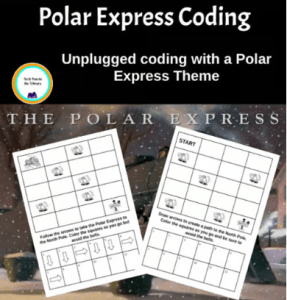
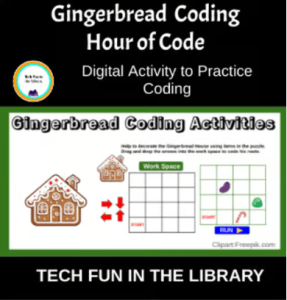
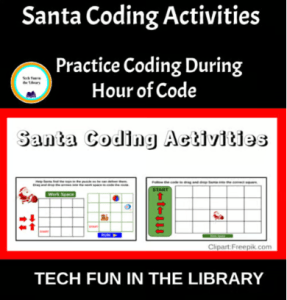
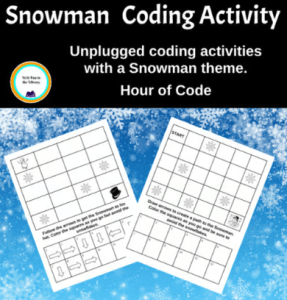
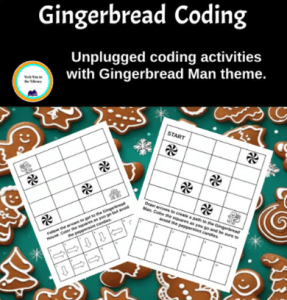
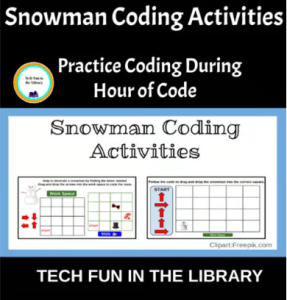
In addition to online tools, I’ve also created several themed Unplugged and Digital Google Slides coding activities that pair with favorite books—another fun way to blend literacy and computer-science thinking.

Hour of Code is always a highlight of the year in our library, and I love watching students discover the joy of coding and the power of creating with technology!

Gobbling Up Learning: Our Thanksgiving Library Activities

This time of year, our library isn’t just about reading Thanksgiving books, though we definitely enjoy those too! We also mix in some fun Thanksgiving-themed activities that help students practice library skills and basic tech skills. By this point in November, students (and staff!) are definitely ready for a break, so these hands-on activities keep things fun and engaging.

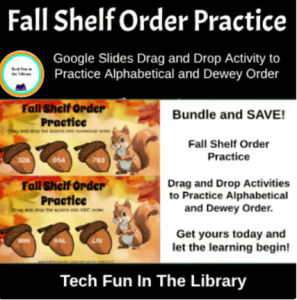
One activity my students love is our Thanksgiving shelf-order practice. This is a Google Slides activity I created where students drag and drop little “pie pieces” into alphabetical and numerical order. It sounds simple, but it really helps them understand how books are arranged on the shelves. This is an important skill when they start looking for books on their own. This is also available as a Fall shelf order practice activity for students who do not celebrate the holiday season. I add both to the Google classroom and they can choose.

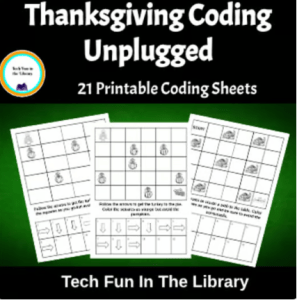
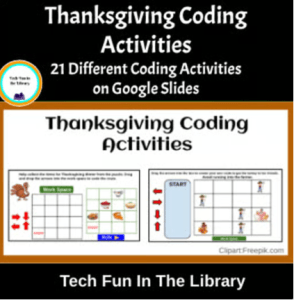
Students also have fun doing coding activities with a Thanksgiving twist. For my younger students, especially 2nd grade, we do unplugged coding where they learn the basics without devices. For 3rd and 4th graders, we use a digital coding activity in Google Slides with fun Thanksgiving-themed drag-and-drop tasks. They always enjoy it, and it’s a great way to ease into Hour of Code next month.

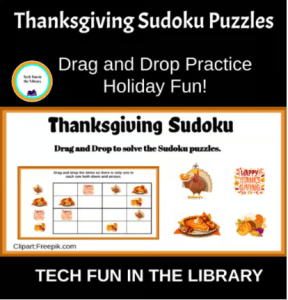
Another favorite is Thanksgiving Sudoku. I created a drag-and-drop Sudoku game in Google Slides where students move Thanksgiving pictures into the right spots to solve the puzzles. It’s great practice for using a trackpad or mouse, and it builds critical thinking and problem-solving skills. Grades 4–6 especially love this one. I have also offered a Fall Sudoku for my students who don’t celebrate holidays or for students who would just rather do a Fall themed activity. I put both into the Google classroom and they can choose.

These are just a few of the fun things we do in the library during November when we are learning, thinking, creating, and of course, having fun while celebrating the Thanksgiving season!

All of these activities are also available in my Teachers Pay Teachers store for anyone who wants to use them in their own library or classroom. Click the images below to go directly to the items.

Mock Caldecott Time is Coming

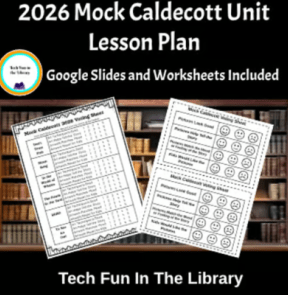
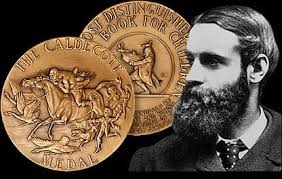
Each January, my library classes take part in one of my favorite projects of the year — our Mock Caldecott! We spend the month reading and studying twelve picture books that might be in the running for the real Caldecott Medal.

We talk a lot about how illustrations help tell a story. We talk about how the colors, details, and style can make you feel something or notice things you might have missed in the words alone. It’s always fun to hear what students notice and which books they think stand out.

Each class votes for their favorites, and let me tell you, the excitement is real when we announce our winner and honor books! If one of our picks ends up matching the actual Caldecott results, it’s a huge deal around here.

It’s such a fun and meaningful way to get students talking about books, art, and storytelling — and it’s become a highlight of our library every year!

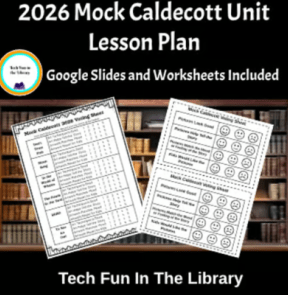
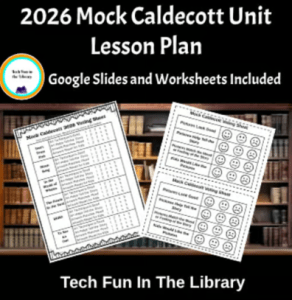
I’ve put together a full unit lesson plan with scoring sheets and a Google Slides presentation to introduce the award and guide the process. If you’d like to try a Mock Caldecott in your own classroom or library, those materials are available in my TPT store.
For a more detailed step by step blog post check out my previous post. Link here

Pair It Up! Teaching with Fiction + Nonfiction in October

One of my favorite fall lessons in the library is pairing a fiction story with a nonfiction book. Around Halloween, I always pull out Stellaluna, Bats in the Library, and Diary of a Spider to pair with a nonfiction books about bats and spiders. It’s a great way to blend literacy with science — and kids love learning “real stuff” about animals after reading a fun story.

Here is an example of what I do this with my fourth graders each year. We read Stellaluna together, talk about the story, characters, and the message, then we dive into some cool bat facts using nonfiction books I have in the library. After that, we compare and contrast the two using a simple Venn diagram that I write on the whiteboard. This kind of lesson helps students learn how to think critically, spot differences between fiction and nonfiction, and back up their ideas with details.

This unit is also a great way to squeeze in some library and tech skills. I use my Google Slides Reading Companion activity for Stellaluna where students review story elements, do a little bat research, and even practice some basic tech skills. I do the same type of activity with my 3rd grade classes using the book Bats in the Library, another great book to use to pair fiction with nonfiction.

I do something similar with Diary of a Spider and a nonfiction spider book — another big hit with students! After reading the book and comparing it to nonfiction books about spiders students jump into their Google Slides activity. These kinds of lessons are perfect for October and easy to adapt for different grades.

Doing comparisons like these throughout the year really helps students understand how fiction can stretch the truth while nonfiction gives us the facts. These lessons spark great discussions and help kids start to think like readers and researchers.

Pairing fiction and nonfiction books not only builds comprehension but also encourages curiosity, critical thinking, and a love for learning — which is exactly what we want in the library.

Click the images below for link.

Other extension ideas for these books:

1. Bat Research Mini-Project

  • After reading, have students pick one species of bat to research (using PebbleGo, Epic, or a simple book).
  • They can create a bat “fact card” with 3 facts and a drawing.

2. Bat Diagram Labeling

  • Provide a simple bat diagram for students to label parts (wings, ears, etc.).
  • You can make it hands-on by cutting and pasting labels, or drag-and-drop digitally.

3. Bat Craft with Facts

  • Foldable bat craft with wings that open up to reveal facts inside.
  • Display in the hallway or on a library bulletin board!

1. Diary Entry as a Spider

  • Have students write their own “Diary of a ___” page from a spider’s point of view.
  • Include what they do during the day, who they hang out with (flies?), etc.
  • Let them illustrate it and make a mini book.

2. Spider Web Building

  • STEAM idea: Give students string, glue, or paper to design and build a spider web.
  • You could pair it with a short science video on how spiders build webs.

3. Spider Life Cycle

  • Have students create a mini life cycle chart using cut-and-paste or drawings.
  • Add this to your nonfiction reading follow-up.

4. Spider Fact Flipbook

  • Simple paper flipbook with sections like:
    • What they eat
    • Where they live
    • Cool facts
    • Why they’re helpful

Getting “Squirrely” in the Library

Did you know October is National Squirrel Awareness Month? We celebrated in the library this week with a super fun read-aloud — Girl Versus Squirrel by Hayley Barrett. The students LOVED it! Lots of giggles and big reactions, especially when we followed it up with Mark Rober’s Squirrel Ninja Course video on YouTube. So much laughter!

When their teacher came to pick them up, they were all talking a mile a minute, excited to share what they learned about squirrels. The teacher smiled and said, “I love seeing so much excitement about reading.” Big win!

During their next visit, students jumped right into the Google Slides Reading Companion I made to go along with the book. They practiced story elements, sequencing, syllable counting, opposite words, and even did a mini research activity on squirrels. For anyone who prefers to keep screens off during library time, I also made a printable version.

It was such a fun way to mix reading, learning, and a little squirrel silliness.

Click images for links to activities.

Shop here for more fun activities!

Photo by <a href=”https://stockcake.com/i/squirrel-reading-book_823831_825778″>Stockcake</a&gt;

Fall Into Reading: Fun & Easy Activities for Your Favorite Autumn Books

Fall is such a fun time in the library! There are so many great books to choose from, and every year I pull out some of my favorites to read with students. These fall-themed books aren’t just fun — they help students build important reading skills too.

Some of my go-to titles include:

🍂 Fletcher and the Falling Leaves – We talk about how Fletcher feels as the seasons change and do a character traits activity. I also have a sequencing printable where students put the events of the story in order.

🍁 The Leaf Thief – This one is great for discussion on cause and effect! The activities we do cover character traits, sequencing, retelling the story, connecting to self by writing words they connect with fall and a fun word search.

🍃 The Very Last Leaf – Perfect for discussing character growth. We talk about being brave and making connections to times students felt nervous about something new. The activities cover a range of skills but kids enjoy comparing deciduous trees and evergreen trees.

🌾 The Scarecrow – This book gets a little deeper. We compare and contrast characters and talk about kindness. These activities cover basic story elements but also cause and effect, rhyming words, and counting syllables. Students are then asked to think about how the Scarecrow was feeling each season of the year.

🎃 Pete the Cat: Falling for Autumn – Always a hit! I use this with my younger grades and they love it! Students learn to put words in alphabetical order, pute events in sequential order, and do a fun class survey. It is great watching them walk around the room asking classmates for their favorite Fall activity/item. A fun way to get them interacting with others while still learning drag and drop skills on the computer.

🍁 It’s Fall! – Great for nonfiction tie-ins. We use it to talk about signs of fall and then do either the digital or printable activities that go with this book. With this students practice graphing skills, connection to self, alphabetical order, and then the fun of drawing their own Jack-O-Lantern.

These activities are available in both printable and digital — easy to grab and go, and flexible for different grade levels. Each book gives us the chance to work on skills like story recall, character traits, sequencing, compare and contrast, and even some simple graphing! With these activities students stay engaged, and admin is always happy to see meaningful work that supports reading comprehension.

The best part? Kids have fun while learning. That’s what the library is all about this time of year!

Click on images to see product.

Shop for these and more on my TPT store!

Making 90 Minutes Count in Junior High Library

This is my first year teaching a junior high library class, and I’ll be honest—I’m only about one step ahead of the students most days when it comes to planning. One of the biggest challenges has been filling a full 90-minute class block, especially with new classes still getting used to the routine.

Today, though, I pulled together an educational, engaging activity that filled the whole time and actually went really well, so I wanted to share in case it helps someone else.

I knew I wanted to cover a digital citizenship lesson and found a great one on PBS Learning Media called “When Is Your Brain Ready for Social Media?” It includes a short video and a viewing guide with questions. We watched the video once and answered the questions together. Then we watched it again so students could take notes to use for writing a claim.

After that, they wrote their own claim using evidence from the video to back it up. This part only took about 30 minutes. So… I had 60 minutes left and needed to come up with something fast!

Last week I had them do a research activity in which they created Google Slides to present their information. While grading I noticed a lot of students were struggling with how to make their slides look polished. So I saw a chance to squeeze in a quick Google Slides lesson using the same video content.

I showed them how to:

  • Add background color or themes
  • Use simple animations
  • Add images to support their points and make their slides more professional

They each made a short slideshow using the information from the video. They practiced their digital skills and reviewed the video info again—win win! Best part? It took up the full 90 minutes and everyone stayed engaged.

Just a reminder that sometimes we have to turn on a dime and be flexible. Those quick thinking moments can turn into great lessons!

Here’s the link to the PBS lesson if you want to check it out:
When Is Your Brain Ready for Social Media? – PBS LearningMedia