Gobbling Up Learning: Our Thanksgiving Library Activities

This time of year, our library isn’t just about reading Thanksgiving books, though we definitely enjoy those too! We also mix in some fun Thanksgiving-themed activities that help students practice library skills and basic tech skills. By this point in November, students (and staff!) are definitely ready for a break, so these hands-on activities keep things fun and engaging.

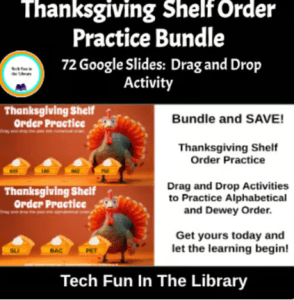
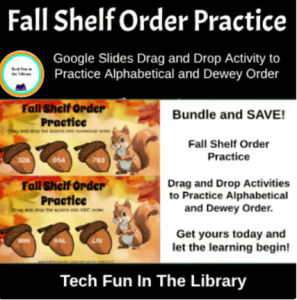
One activity my students love is our Thanksgiving shelf-order practice. This is a Google Slides activity I created where students drag and drop little “pie pieces” into alphabetical and numerical order. It sounds simple, but it really helps them understand how books are arranged on the shelves. This is an important skill when they start looking for books on their own. This is also available as a Fall shelf order practice activity for students who do not celebrate the holiday season. I add both to the Google classroom and they can choose.

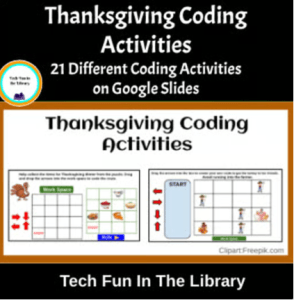
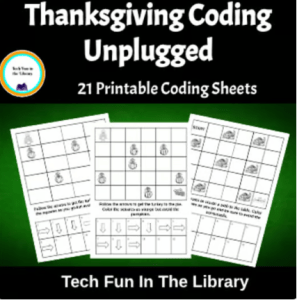
Students also have fun doing coding activities with a Thanksgiving twist. For my younger students, especially 2nd grade, we do unplugged coding where they learn the basics without devices. For 3rd and 4th graders, we use a digital coding activity in Google Slides with fun Thanksgiving-themed drag-and-drop tasks. They always enjoy it, and it’s a great way to ease into Hour of Code next month.

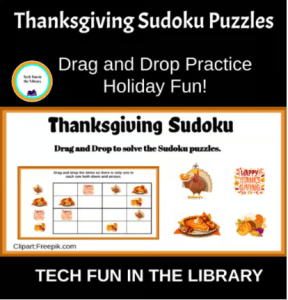
Another favorite is Thanksgiving Sudoku. I created a drag-and-drop Sudoku game in Google Slides where students move Thanksgiving pictures into the right spots to solve the puzzles. It’s great practice for using a trackpad or mouse, and it builds critical thinking and problem-solving skills. Grades 4–6 especially love this one. I have also offered a Fall Sudoku for my students who don’t celebrate holidays or for students who would just rather do a Fall themed activity. I put both into the Google classroom and they can choose.

These are just a few of the fun things we do in the library during November when we are learning, thinking, creating, and of course, having fun while celebrating the Thanksgiving season!

All of these activities are also available in my Teachers Pay Teachers store for anyone who wants to use them in their own library or classroom. Click the images below to go directly to the items.
Getting “Squirrely” in the Library

Did you know October is National Squirrel Awareness Month? We celebrated in the library this week with a super fun read-aloud — Girl Versus Squirrel by Hayley Barrett. The students LOVED it! Lots of giggles and big reactions, especially when we followed it up with Mark Rober’s Squirrel Ninja Course video on YouTube. So much laughter!

When their teacher came to pick them up, they were all talking a mile a minute, excited to share what they learned about squirrels. The teacher smiled and said, “I love seeing so much excitement about reading.” Big win!

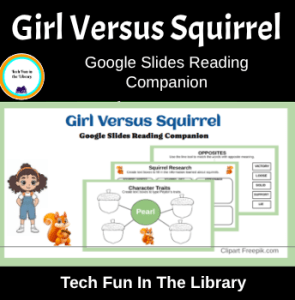
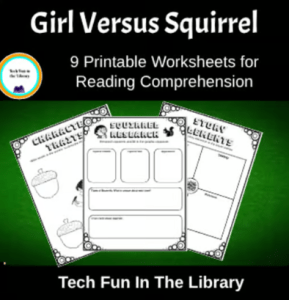
During their next visit, students jumped right into the Google Slides Reading Companion I made to go along with the book. They practiced story elements, sequencing, syllable counting, opposite words, and even did a mini research activity on squirrels. For anyone who prefers to keep screens off during library time, I also made a printable version.

It was such a fun way to mix reading, learning, and a little squirrel silliness.

Click images for links to activities.

Shop here for more fun activities!

Photo by <a href=”https://stockcake.com/i/squirrel-reading-book_823831_825778″>Stockcake</a&gt;

Fun Lesson with First Graders

My first graders come to the library twice a week. If you know this age group you know that there are times they can get a little squirmy and bored if you don’t have something to keep them engaged the whole class period. This week we worked on one of my Google Slides Reading Companions activities. It was the perfect way for students to get back into the swing of library after an extended break.

What are Google Slides Reading Companions?

These are lessons I have created to bring both tech and library together. I not only teach library but I also teach technology. When I first started doing both 8 years ago I had no idea how to get enough time to improve skills in both areas. I decided to create some lessons that would give them the library skills and books while at the same time working on basic tech skills. The Google Slides Reading Companion was born!

No Snow Yet…But We Are Hopeful

As I have said in other blogs winter themed read aloud are perfect for this time of year. I chose to do Just One Flake this week. We read the story and then talked about times that they tried to catch snowflakes on their tongues. Almost all admitted they have tried to do this when it snows. After the story I used the projector to display the slides and show students what they needed to do for each slide. Then students logged onto their Chromebooks and began the lesson.

Tech Skills Practiced

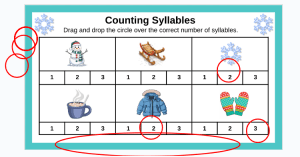
At this age I know mastering the track pad is key to being successful on the Chromebooks. This lesson has a lot of drag and drop activities to give students the practice they need manipulating the trackpad. Is it always easy? No, sometimes they get frustrated when they can’t get the object to move or when they stretch out the circle they are trying to drag and drop. But, as with anything, practice makes perfect. I remind them that the more they practice the easier it will become. Below is an example of one student’s work dragging and dropping circles over the correct number for syllables. As you can see they did stretch out the circles.

Movement During the Lesson

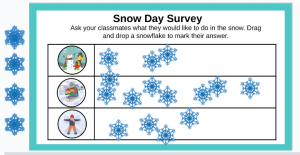
I love that this lesson adds a chance for movement during class. At the end of the slides there is a survey slide that students need to ask their classmates about a favorite event on a snow day. It is so fun to watch them go around asking their classmates what they like best and then dragging and dropping the snowflake to the appropriate box. They love getting to move around and talk while still being engaged in the lesson. Now that is a win for everyone!

A Great Way to Learn

Overall, it has been a great few days working with my first graders. Students have been engaged and having fun which makes them happy. Students have been learning new skills and practicing old skills which makes me happy. I didn’t have to make a stack of copies for assignments, I didn’t have to keep track of unfinished work until the next time they came, and I was able to watch them grow in their computer skills. If you are looking for a fun activity to use with your students Google Reading Slides Companions are a great way to add tech to your lessons.

Shop for your copy of Just One Flake here.